---
title: Landing Dashboard
description: Introducing Landing Dashboards
---
[Skip to content](https://help.yojee.com/tcms/landing-dashboard#main-content)
English
Show submenu for translations

- Knowledge Base
Open main navigation
Close main navigation
- Knowledge Base
- English
Show submenu for translations
- [Go to yojee.com](https://www.yojee.com/)
[Go to yojee.com](https://www.yojee.com/)
Hello. How can we help you?
- There are no suggestions because the search field is empty.
1. [TCMS](https://help.yojee.com/tcms?hsLang=en)
2. [Analytics](https://help.yojee.com/tcms/analytics?hsLang=en)
3. [Dashboards](https://help.yojee.com/tcms/analytics?hsLang=en#dashboards)
# Landing Dashboard
## Introducing Landing Dashboards
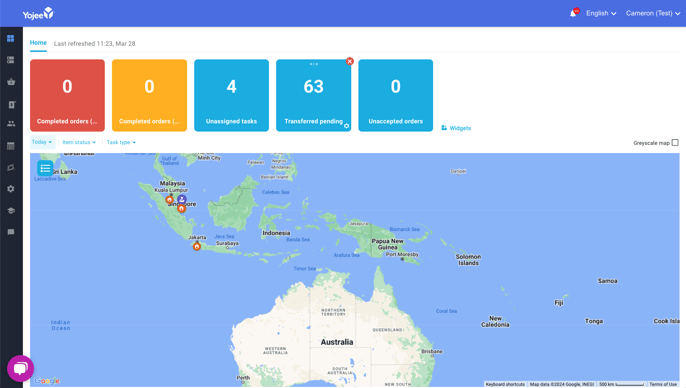
The landing dashboard is designed with a user-friendly approach, giving users the flexibility to personalise it according to their preferences. This customisation allows them to focus on the specific numbers that hold significance to them in their role.
The Landing Dashboard automatically refreshes ensuring the information is current and can be used as a team display.
Dashboards are continuously being developed, and new features may be introduced or modified at any time.
We highly value your feedback in shaping the future of Yojee. We encourage you to explore this new feature and share your thoughts with us at [support@yojee.com](mailto:support@yojee.com).
### WIDGETS
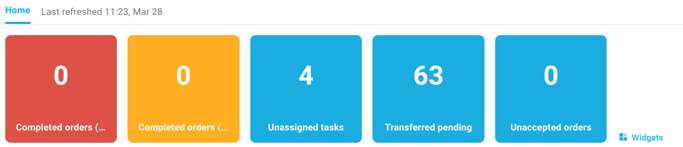
The first row of coloured blocks are customisable widgets and provide a count of tasks/orders along with dynamic colouring as defined by the user.
#### Adding Widgets
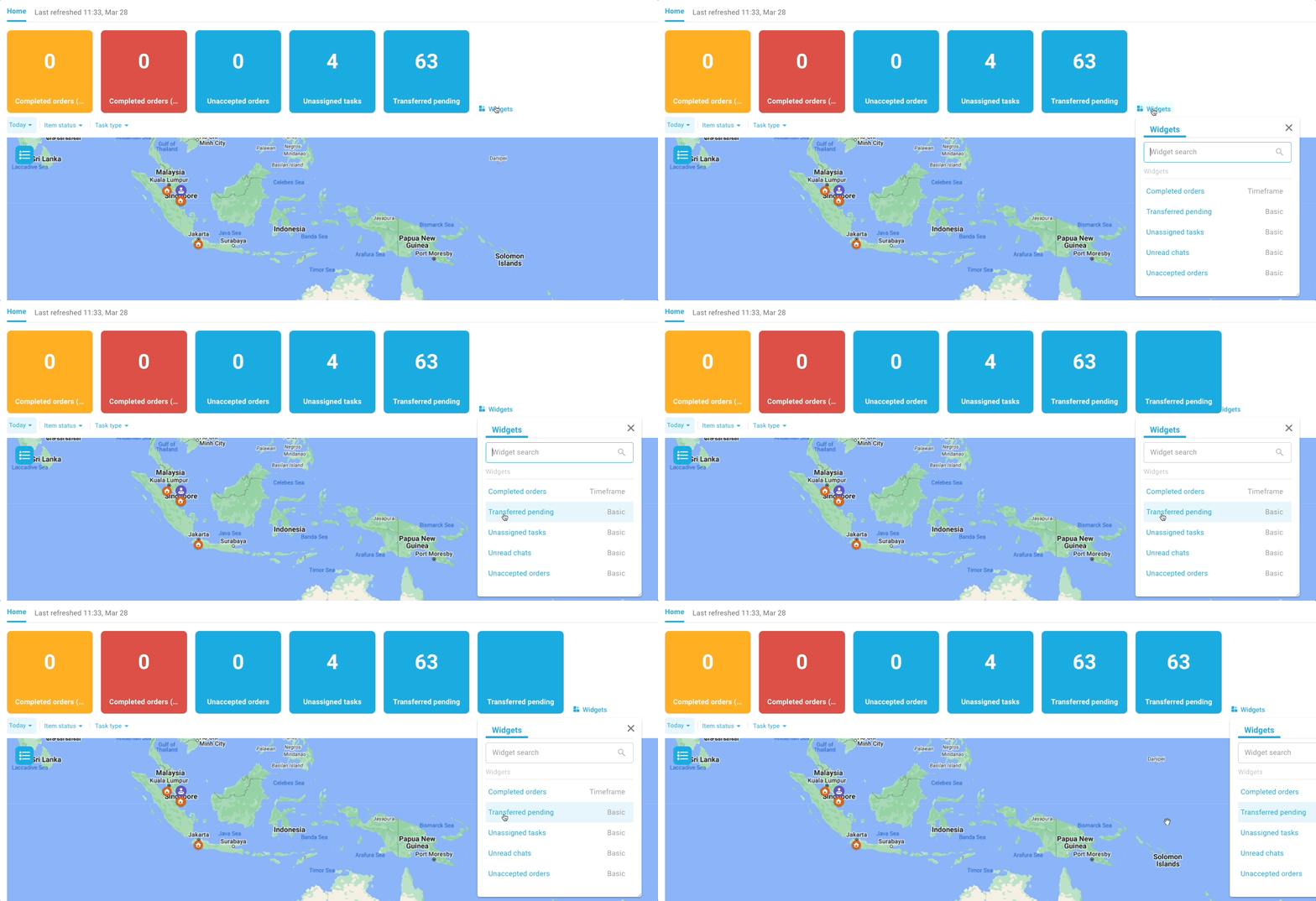
To add a new widget, select the  Widgets icon, where a list of available widgets will be displayed. Simply select the widget you wish to add and it will appear.
There is currently a maximum of 8 widgets able to be displayed.
#### Arranging Widgets
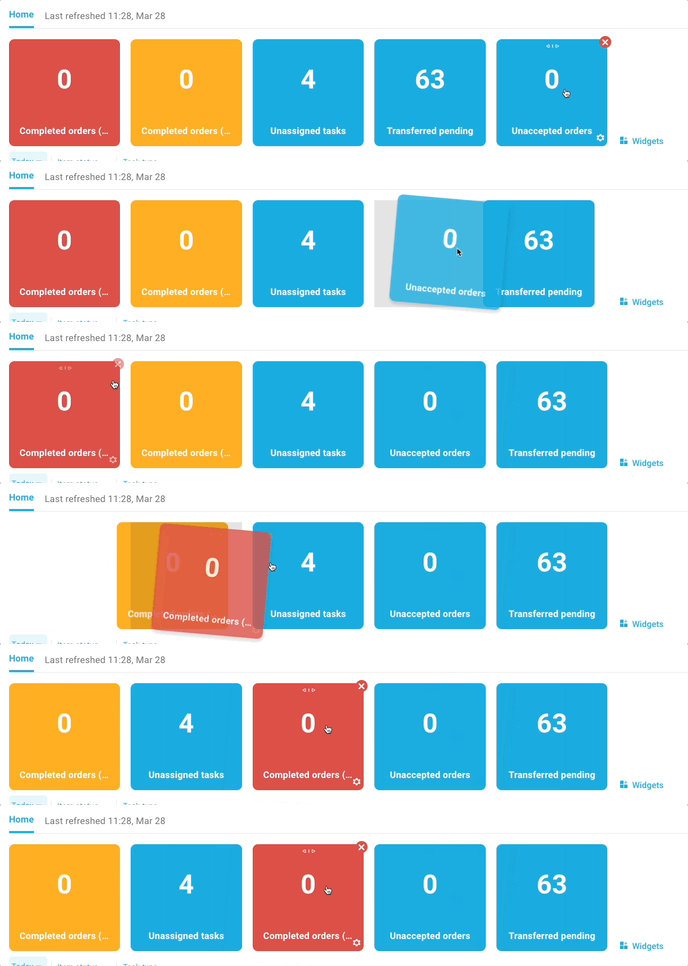
Rearranging widgets is as simple as clicking and dragging the widget into the position you wish to place it.
#### Removing Widgets
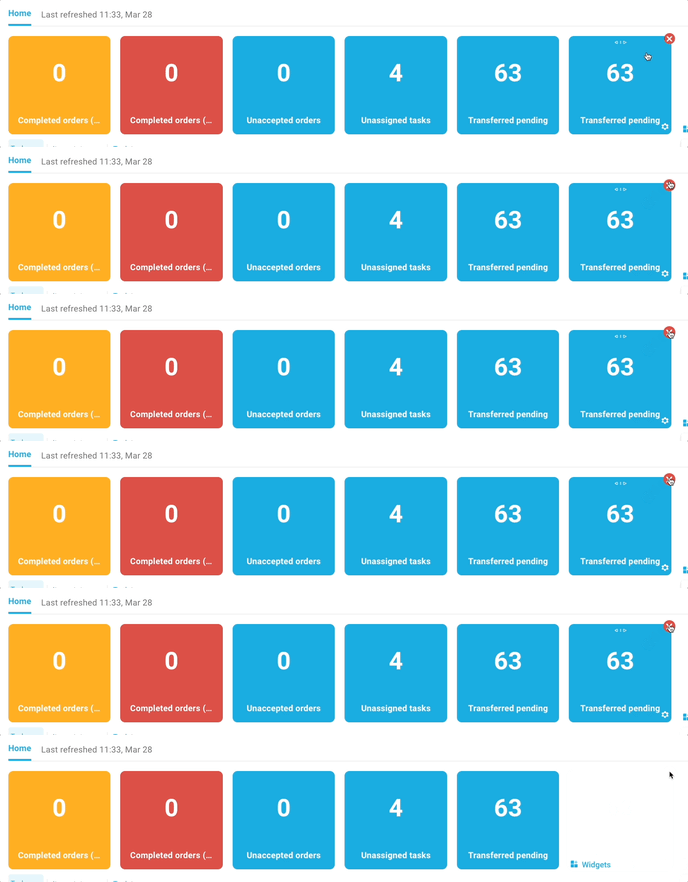
To remove a widget, select the ❌ in the top right of the widget and it will disappear.
#### Editing Widgets
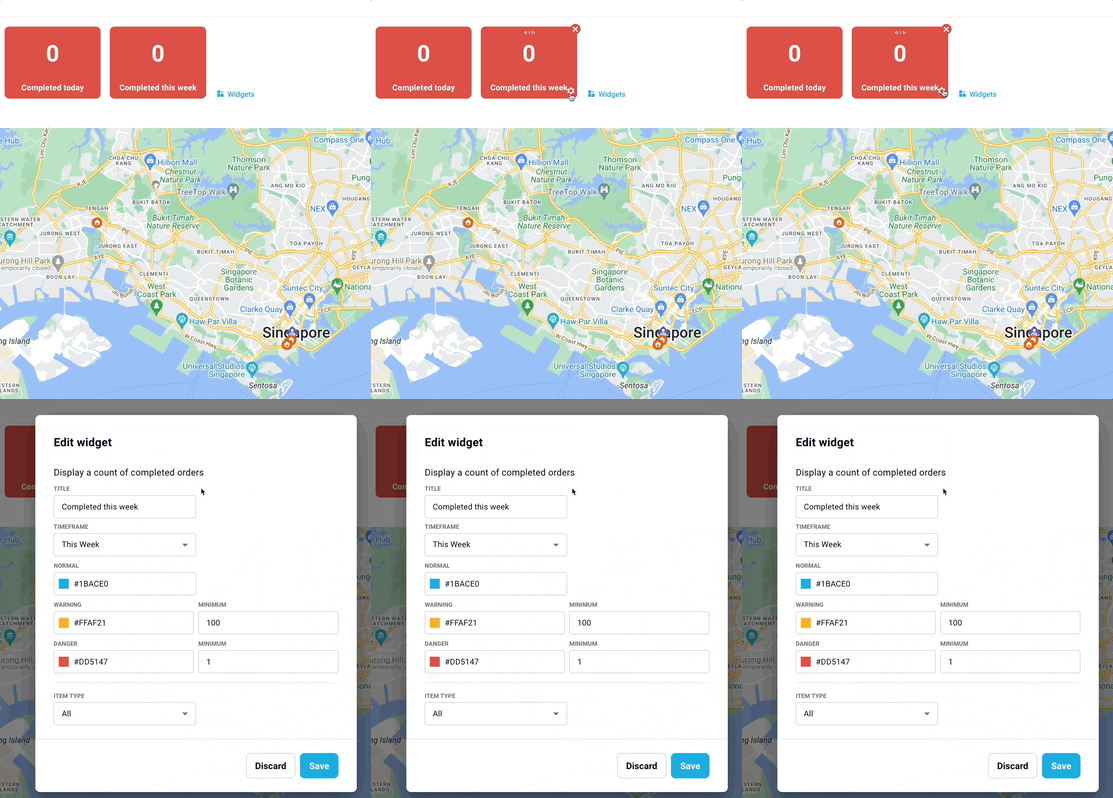
Each widget can be edited to change the colours based on thresholds. Selecting the ⚙️ icon that appears when hovering over a widget will open the settings.
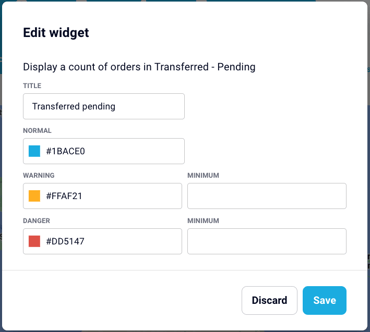
**Basic Widgets** allow editing of the title, along with the widget colours and dynamic colours based on the minimums specified.
**Timeframe Widgets** also allow you to add a timeframe and further filter.
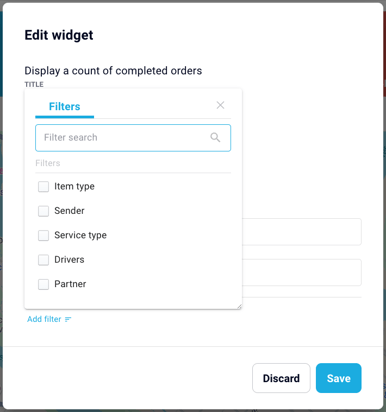
- **Timeframe** - Filter the widget to a dynamic timeframe
- **Item Type** - Filter the widget to only count specific Item Types
- **Sender** - Filter the widget to count orders for specific Senders
- **Service Type** - Filter the widget to order specific Service Types
- **Driver** - Filter widget to tasks related to a specific driver
- **Partner** - Filter widget with tasks related to a specific carrier partner
### MAP
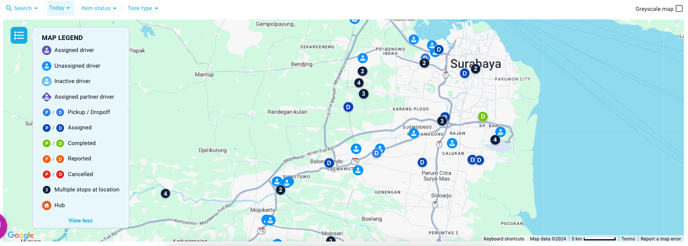
The map displays the current locations of active drivers, hubs, and orders based on the applied filter.
#### Interactive Map Pins
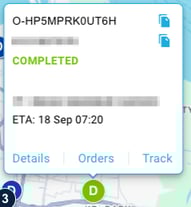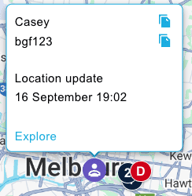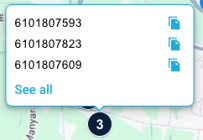
When clicked, the interactive map pins display live order details and driver updates, while also offering quick access to relevant information.
#### Filter
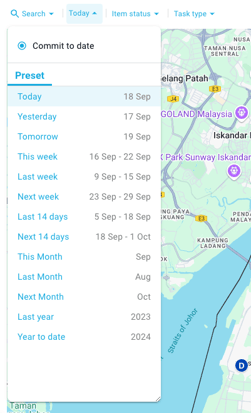
By utilising the filter criteria located in the top left corner, you can refine the information displayed on the map based on Date, Item status, or Task type.
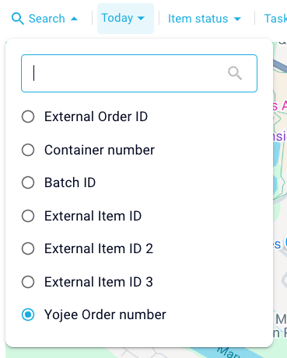You can also filter based on a specific reference ID using the **Search 🔍** function.
#### Greyscale
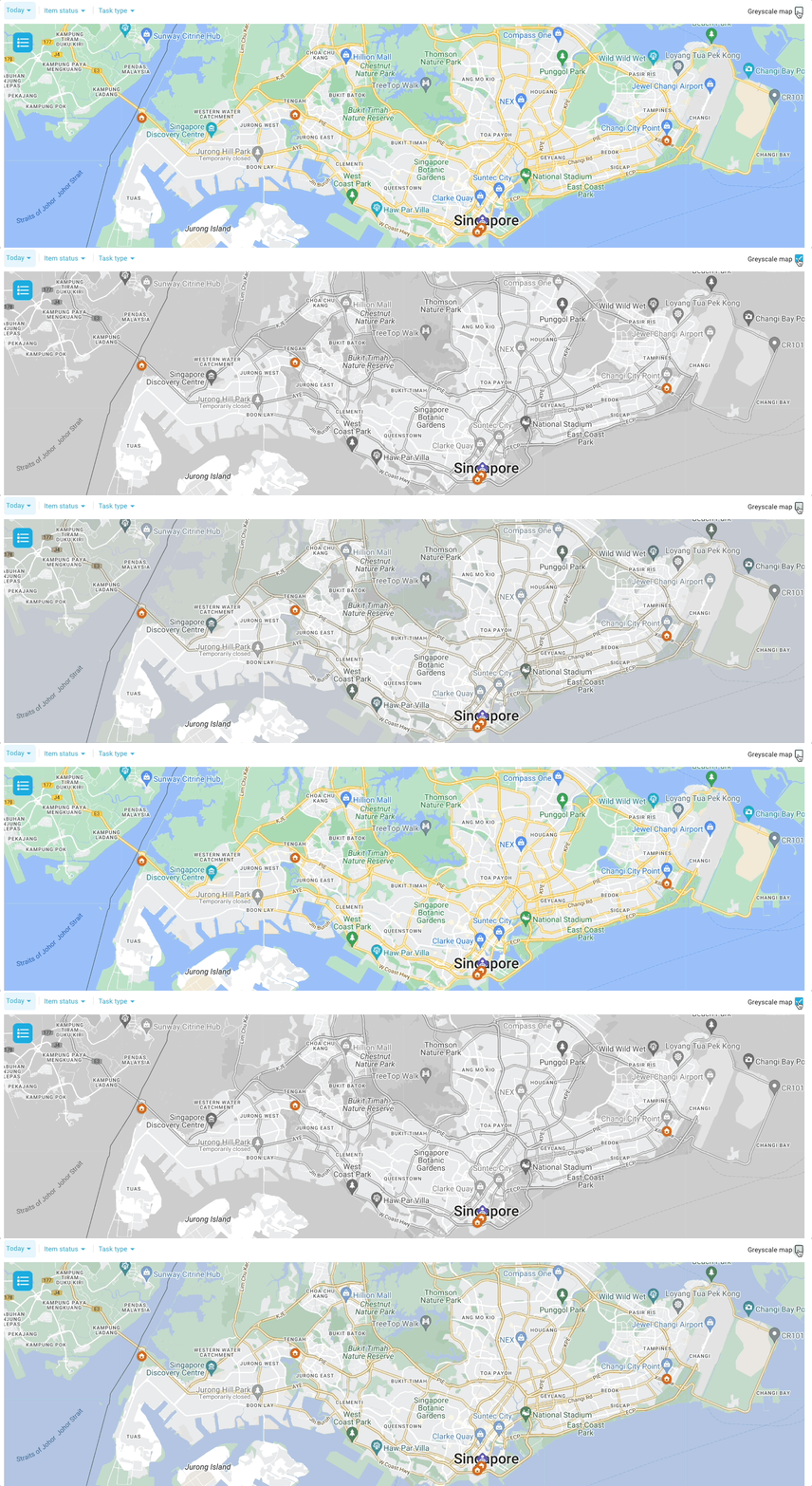
To enhance the visibility of your key locations on the map, you can utilise a greyscale toggle located in the top right corner of the map.
- [Quick Start Guides](https://help.yojee.com/tcms/quick-start-guides?hsLang=en)
- [Power Up with Yojee - Training Sessions](https://help.yojee.com/tcms/power-up-with-yojee-training-sessions?hsLang=en)
- [Dispatchers](https://help.yojee.com/tcms/dispatchers?hsLang=en#main-content)
- [Creating Orders](https://help.yojee.com/tcms/dispatchers?hsLang=en#creating-orders)
- [Managing Orders](https://help.yojee.com/tcms/dispatchers?hsLang=en#managing-orders)
- [Dispatching Orders](https://help.yojee.com/tcms/dispatchers?hsLang=en#dispatching-orders)
- [Tracking Orders](https://help.yojee.com/tcms/dispatchers?hsLang=en#tracking-orders)
- [Partners](https://help.yojee.com/tcms/dispatchers?hsLang=en#partners)
- [Network](https://help.yojee.com/tcms/dispatchers?hsLang=en#network)
- [Drivers](https://help.yojee.com/tcms/drivers?hsLang=en)
- [Senders](https://help.yojee.com/tcms/senders?hsLang=en)
- [Partners](https://help.yojee.com/tcms/partners?hsLang=en)
- [Manage](https://help.yojee.com/tcms/manage?hsLang=en#main-content)
- [Account](https://help.yojee.com/tcms/manage?hsLang=en#account)
- [Users](https://help.yojee.com/tcms/manage?hsLang=en#users)
- [Fleet](https://help.yojee.com/tcms/manage?hsLang=en#fleet)
- [Drivers](https://help.yojee.com/tcms/manage?hsLang=en#drivers)
- [Addresses](https://help.yojee.com/tcms/manage?hsLang=en#addresses)
- [Customers](https://help.yojee.com/tcms/manage?hsLang=en#customers)
- [Orders](https://help.yojee.com/tcms/manage?hsLang=en#orders)
- [Planning](https://help.yojee.com/tcms/manage?hsLang=en#planning)
- [Documentation](https://help.yojee.com/tcms/manage?hsLang=en#documentation)
- [Finance](https://help.yojee.com/tcms/manage?hsLang=en#finance)
- [Partners](https://help.yojee.com/tcms/manage?hsLang=en#partners)
- [Analytics](https://help.yojee.com/tcms/analytics?hsLang=en#main-content)
- [Dashboards](https://help.yojee.com/tcms/analytics?hsLang=en#dashboards)
- [Reports](https://help.yojee.com/tcms/analytics?hsLang=en#reports)
- [API Documentation](https://help.yojee.com/tcms/api-documentation?hsLang=en)
- [FAQ and Glossary](https://help.yojee.com/tcms/faq-and-glossary?hsLang=en#main-content)
- [Drivers & Planning](https://help.yojee.com/tcms/faq-and-glossary?hsLang=en#drivers-planning)
- [Glossary](https://help.yojee.com/tcms/faq-and-glossary?hsLang=en#glossary)
- [Reports](https://help.yojee.com/tcms/faq-and-glossary?hsLang=en#reports)
- [Other](https://help.yojee.com/tcms/faq-and-glossary?hsLang=en#other)
- [Release Notes](https://help.yojee.com/tcms/release-notes?hsLang=en#main-content)
- [Release Notes 2026](https://help.yojee.com/tcms/release-notes?hsLang=en#release-notes-2026)
- [Release Notes 2025](https://help.yojee.com/tcms/release-notes?hsLang=en#release-notes-2025)
- [Release Notes 2024](https://help.yojee.com/tcms/release-notes?hsLang=en#release-notes-2024)
- [Release Notes 2023](https://help.yojee.com/tcms/release-notes?hsLang=en#release-notes-2023)
- [Release Notes 2022](https://help.yojee.com/tcms/release-notes?hsLang=en#release-notes-2022)
- [Release Notes 2021](https://help.yojee.com/tcms/release-notes?hsLang=en#release-notes-2021)
- [Release Notes 2020](https://help.yojee.com/tcms/release-notes?hsLang=en#release-notes-2020)
- [New Starter Training](https://help.yojee.com/tcms/new-starter-training?hsLang=en#main-content)
- [Level 1](https://help.yojee.com/tcms/new-starter-training?hsLang=en#level-1)
[](https://www.yojee.com)
TCMS Knowledge Base
[mailto:support@yojee.com](mailto:support@yojee.com)
Copyright © 2026 Yojee Pte Ltd